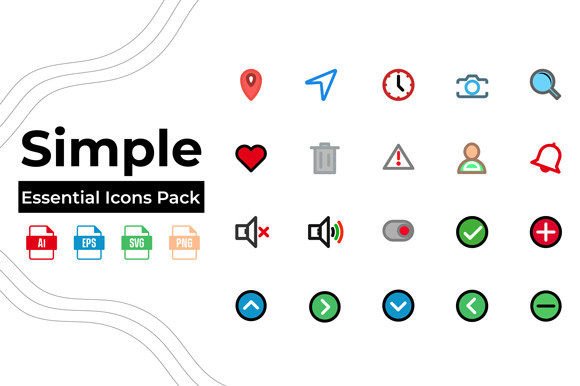
Essential Icons Pack -4: A Designer’s Toolkit
Visual communication moves faster than text. In a digital landscape where attention spans are shrinking, the ability to convey complex ideas instantly is invaluable. This is where a well-curated library of graphics becomes more than just a nice-to-have; it becomes a fundamental part of your workflow. The Essential Icons Pack -4 addresses this need by providing a versatile collection of high-quality vector graphics designed to streamline your creative process. Whether you are building a new online store, refreshing a corporate brand, or creating educational materials, having access to clean, editable icons can save hours of design time.
Why Quality Vector Graphics Matter
Many beginners make the mistake of using low-resolution images or inconsistent icon styles in their projects. This often results in a cluttered or unprofessional appearance. The core value of the Essential Icons Pack -4 lies in its consistency and technical quality. Each icon is crafted as a fully editable vector file. Unlike raster images (like standard JPEGs or PNGs) which become pixelated when enlarged, vector graphics use mathematical paths to define shapes. This means you can scale an icon from the size of a favicon to the size of a billboard without losing any clarity or sharpness.
This scalability is crucial for modern responsive design. Your website needs to look crisp on a massive desktop monitor and a small smartphone screen alike. With this pack, you do not need to create multiple versions of the same image for different devices. You simply adjust the size, and the quality remains pristine. This flexibility ensures that your visual identity remains strong across all platforms.
Versatility Across Industries
One of the standout features of this collection is its broad applicability. It is not limited to a single niche, making it a smart investment for freelancers and agencies who work with diverse clients. Here is how different professionals can leverage these assets:
- eCommerce Businesses: Online stores rely heavily on trust signals and clear navigation. Icons representing secure payment, fast shipping, and customer support help reduce friction during the checkout process. Using consistent, trendy icons from this pack can enhance the user experience and potentially boost conversion rates.
- Educational Institutions: Teachers and instructional designers know that visual aids improve retention. Whether you are designing a slide deck, a worksheet, or an e-learning module, clear icons can break up text-heavy content and highlight key concepts. The clean lines of these icons ensure they remain legible even when printed in black and white.
- Creative Agencies: For agencies managing multiple brands, speed is essential. Instead of drawing custom icons from scratch for every client presentation or mood board, you can use these pre-made elements as placeholders or final assets. This allows you to focus more on strategy and layout rather than getting bogged down in minor graphic details.
Technical Features and File Formats
Understanding the file types included in the Essential Icons Pack -4 is key to using them effectively. The pack includes AI, EPS, SVG, and JPG formats, covering almost every possible use case.
The AI and EPS files are the powerhouse formats for designers. If you use Adobe Illustrator or similar vector software, these files allow you to open each icon and modify its shape, color, stroke width, and composition. You are not stuck with the default look; you can tweak the icons to match your specific brand guidelines perfectly. For instance, if your brand color is a specific shade of teal, you can change all icons to that exact hex code in seconds.
The SVG format is increasingly important for web development. SVGs are code-based vectors that can be embedded directly into HTML. They load quickly, are accessible to screen readers, and can be animated with CSS. Developers appreciate SVGs because they keep website file sizes small while maintaining high resolution on retina displays.
Finally, the inclusion of JPG files provides a quick solution for non-designers. If you need to drop an icon into a Word document, a PowerPoint presentation, or a social media post, the JPGs offer a ready-to-use option without requiring specialized software.
Organization and Workflow Efficiency
A common frustration with free or poorly curated asset packs is disorganization. Finding a specific icon among hundreds of unlabelled files can waste valuable time. The Essential Icons Pack -4 solves this by placing icons correctly in separated folders. This logical structure allows you to locate what you need quickly. Whether you are looking for technology-related symbols, business charts, or educational tools, the categorized folders ensure a smooth browsing experience.
This organization supports a "fresh and trendy" design aesthetic. The icons are not outdated clip-art; they reflect current design trends such as minimalism and clean lines. This ensures that your projects look modern and relevant. When your design elements feel current, it subtly communicates to your audience that your brand or content is up-to-date and professional.
Things to Consider Before You Start
While the pack is designed to be user-friendly, there are a few practical considerations to keep in mind to get the most out of it. First, ensure you have the right software to edit the vector files. While anyone can view the JPGs, editing the AI or EPS files requires vector graphic software like Adobe Illustrator, CorelDRAW, or free alternatives like Inkscape. If you are a beginner, take some time to learn the basics of manipulating vector paths. This skill will unlock the full potential of the pack.
Second, consider consistency. Even though the icons are flexible, try to maintain a uniform style within a single project. Do not mix thick-line icons with thin-line ones unless you are intentionally creating a contrasting effect. The Essential Icons Pack -4 provides a cohesive set, so sticking to one style family will result in a more polished final product.
Lastly, think about accessibility. When using these icons on websites, always include alternative text descriptions for screen readers. An icon alone may not convey meaning to everyone, so pairing it with clear labels or descriptive text ensures your content is inclusive.
Final Thoughts
Investing in quality design assets is an investment in your professional credibility. The Essential Icons Pack -4 offers a balanced combination of aesthetic appeal, technical flexibility, and practical organization. It removes the barrier of entry for high-quality visual design, allowing creators of all skill levels to produce professional-looking work. By integrating these editable vectors into your workflow, you can focus less on creating basic elements from scratch and more on crafting compelling narratives and user experiences. Whether you are launching a startup, teaching a class, or managing a digital agency, this pack provides the foundational tools you need to communicate clearly and effectively.